Use SQL when you need it
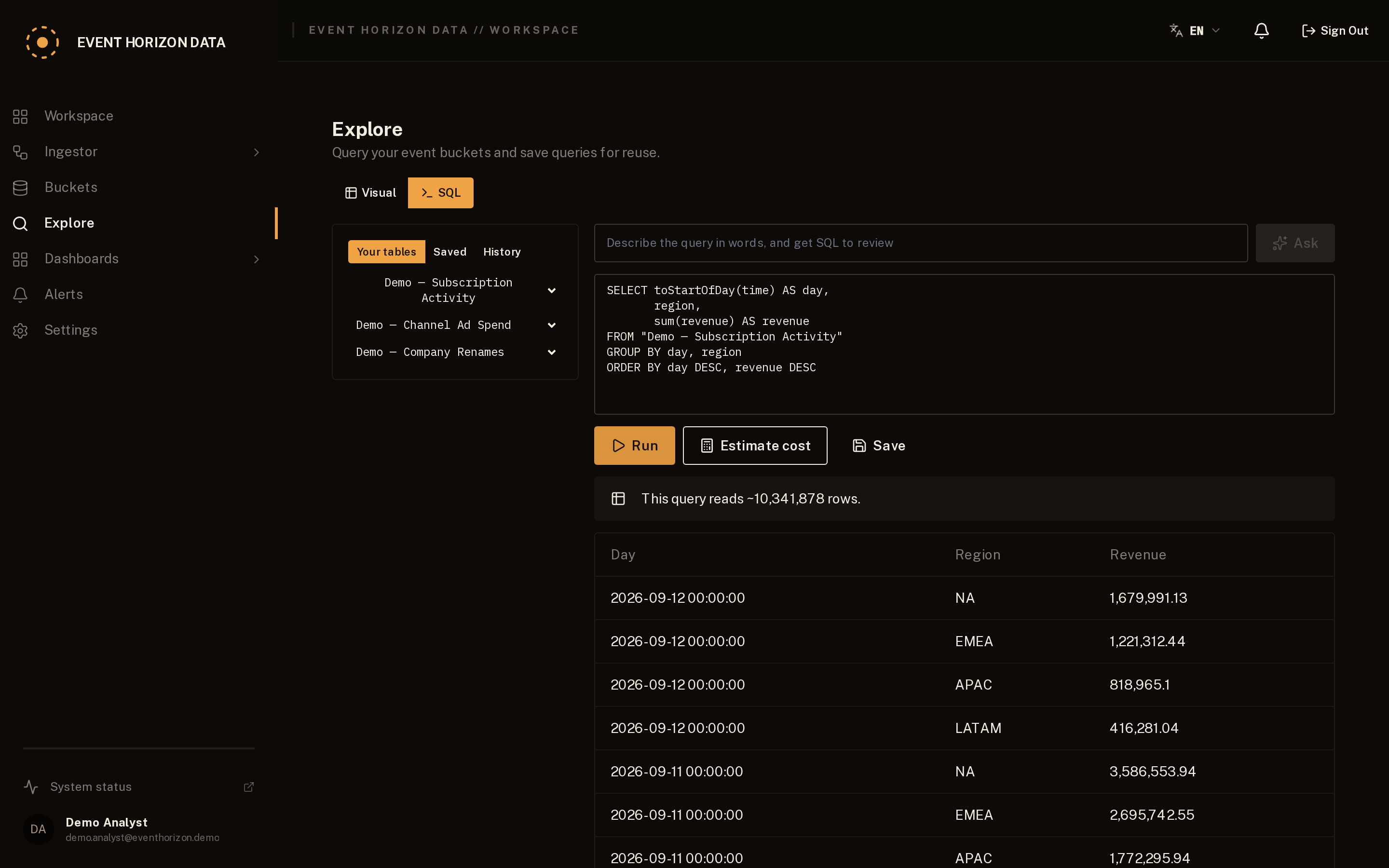
When the visual interface isn't enough, use the SQL interface. Queries are validated, tenant-scoped and cost-checked before execution.
Save useful queries as dashboard widgets. Connect Python, R or Jupyter when your workflow needs a notebook.
Most questions never need SQL, but when you want it, Explore has a SQL tab. You write ordinary SQL against your event buckets as if each were a table, without seeing how the warehouse stores them underneath. Your query is validated and rebuilt on our side, locked to your organisation, so it can only ever read your own data.
Every query is costed before it runs, the way BigQuery's dry-run works: one that would scan more than your plan allows is refused up front, with the estimate shown, so a heavy query fails fast instead of running up a bill. Save a query you like and drop it onto a dashboard as a widget.
To query from a notebook, generate a token under Settings → API tokens, then send SQL to the data endpoint from Python, R or Jupyter. The tenant comes from the token, so a token can only ever reach its own organisation's data:
curl -X POST "https://eventhorizondata.com/api/v1/data/sql" \
  -H "Authorization: Bearer <token>" \
  -H "Content-Type: application/json" \
  -d '{"sql":"SELECT toStartOfDay(time) AS day, sum(value) AS total FROM orders GROUP BY day ORDER BY day"}'
The token goes in the Authorization header and can be revoked at any time; a revoked token stops working immediately. The response is JSON by default, or CSV with `?format=csv` or an `Accept: text/csv` header. `GET /api/v1/data/schema` lists the buckets you can query.
Send your first event.
Create an account and get from raw data to a dashboard in minutes.